前言
评论功能是博客不可或缺的一部分,它能促进作者与读者的交流,帮助作者获得宝贵反馈。为此,我近期为 Quartz 4 网站集成了评论系统。
Quartz 原生支持 Giscus,这是一个基于 GitHub Discussions 的开源评论工具。Giscus 利用 GitHub 账号体系,无需额外注册,并将评论数据直接存储在 GitHub Discussions 中,管理方便且配置简单。实际体验中,整个配置过程顺利,效果也令人满意。
效果
配置成功后效果如下,欢迎使用非鱼的回响笔记体验。
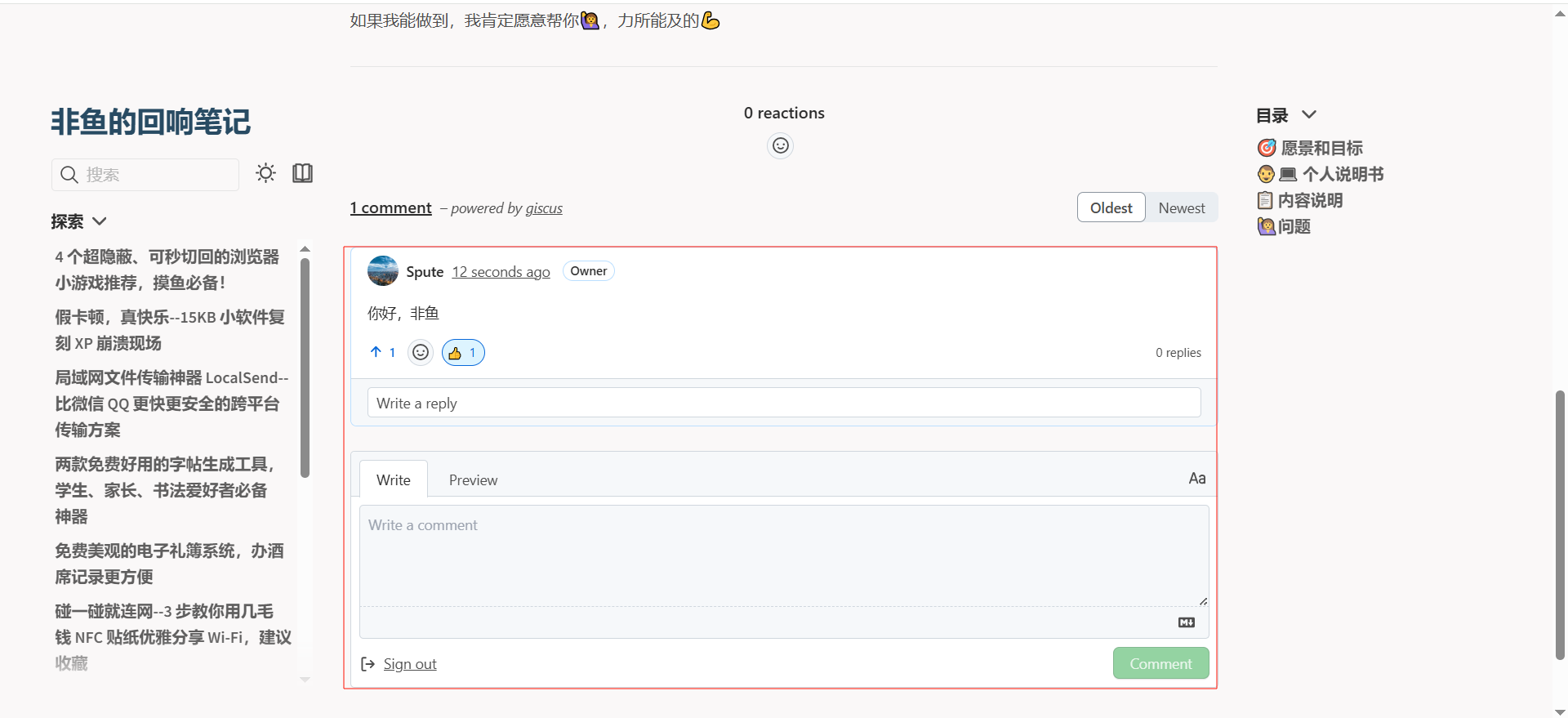
配置 Giscus 评论
前提条件:
- 需要将你的fork的仓库设为为公开,否则读者无法查看讨论。
- 已安装 Giscus 应用,否则读者无法评论或点赞。点击链接 giscus登录github授权即可。
- 已在仓库设置中启用 Discussions 功能。在仓库settings下找到如下页面设置
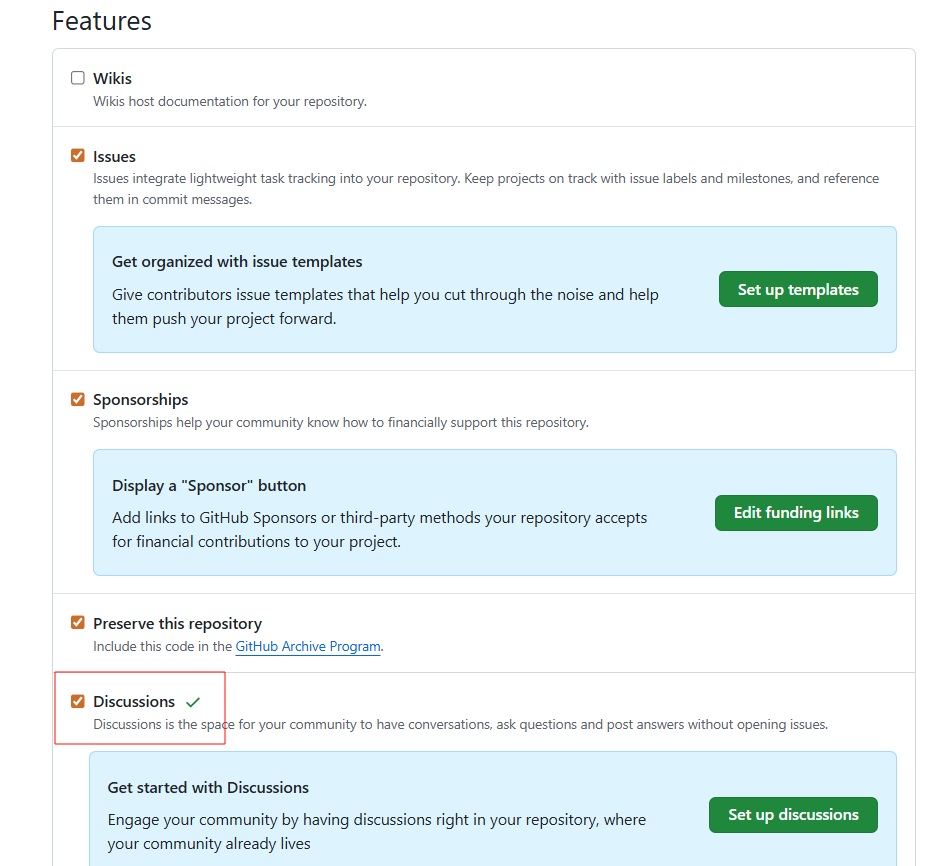
配置步骤:
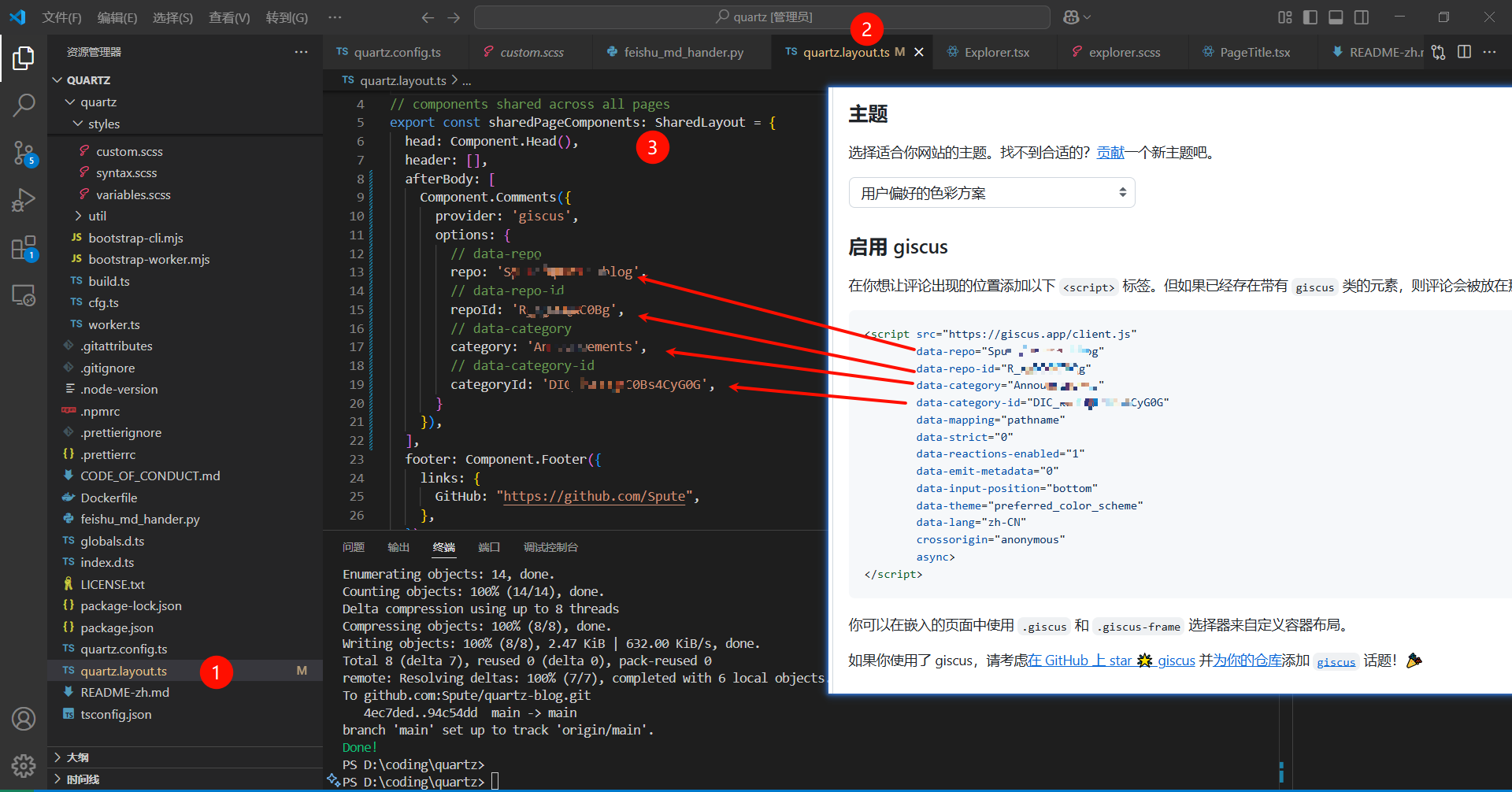
- 访问 Giscus 官网,输入仓库信息并选择 Announcements 作为讨论类别。
- 获取生成的
repoId和categoryId。 - 在
quartz.layout.ts中编辑sharedPageComponents的afterBody字段,填入以下配置(替换为实际值):
afterBody: [
  Component.Comments({
    provider: 'giscus',
    options: {
      repo: 'jackyzha0/quartz',        // data-repo
      repoId: 'MDEwOlJlcG9zaXRvcnkzODcyMTMyMDg',  // data-repo-id
      category: 'Announcements',        // data-category
      categoryId: 'DIC_kwDOFxRnmM4B-Xg6', // data-category-id
    }
  }),
],
个性化配置选项(可选)
支持以下 Giscus 扩展配置:
type Options = {
  provider: "giscus";
  options: {
    repo: `${string}/${string}`;
    repoId: string;
    category: string;
    categoryId: string;
    themeUrl?: string;           // 默认: 'https://${cfg.baseUrl}/static/giscus'
    lightTheme?: string;         // 默认: 'light'
    darkTheme?: string;          // 默认: 'dark'
    mapping?: "url" | "title" | "og:title" | "specific" | "number" | "pathname"; // 默认: 'url'
    strict?: boolean;            // 默认: true
    reactionsEnabled?: boolean;  // 默认: true
    inputPosition?: "top" | "bottom"; // 默认: 'bottom'
  };
};
自定义 CSS 主题
- 将主题 CSS 文件(如
light-theme.css、dark-theme.css)放置于quartz/static/giscus/目录。 - 在配置中指定主题路径与文件名:
afterBody: [
  Component.Comments({
    provider: 'giscus',
    options: {
      // 其他配置...
      themeUrl: "https://example.com/static/giscus",  // 对应 quartz/static/giscus/
      lightTheme: "light-theme",  // 对应 light-theme.css
      darkTheme: "dark-theme",    // 对应 dark-theme.css
    }
  }),
],
控制评论显示
默认所有页面显示评论。若需关闭,在obsidian文章页面 Frontmatter 中设置:
---
title: 示例页面
comments: false
---